Secure your account first
Before anything else, set your strong password, sign out and back in once to confirm it works, and enable any extra verification that is offered.
Registering on Khelo24Bet is quick and guided every step of the way. Message our team on WhatsApp, share a few basic details, and get your new account set up in a simple four-step flow — with the details you need, mobile tips and mistakes to avoid, all in one place. For adults aged 18 and above.
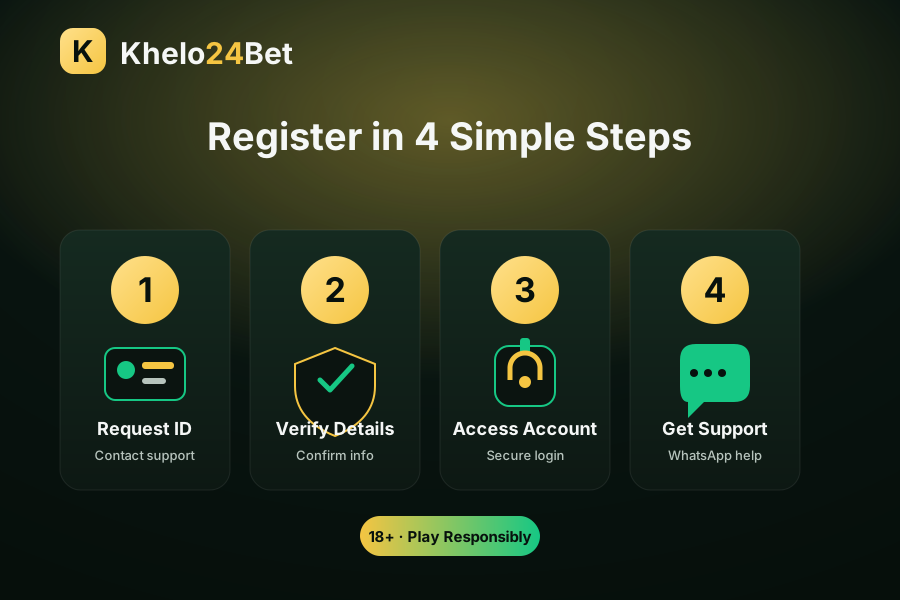
Khelo24Bet register simply means setting up the account access you use to sign in. It is a guided, informational process handled through WhatsApp support, so you are never left to figure things out alone. You share a few basic details, confirm them, and then set up secure access.
The whole flow is built to work on a phone, so you do not need a computer or any heavy download. Most users complete the informational steps in one short chat session. Throughout, the focus stays on safe habits — strong passwords, private credentials and honest, responsible use.
The smoothest registrations are the ones where a little thinking happens before the first message is ever sent. None of this takes long, and doing it up front means you will not have to pause halfway through to sort something out.
Start with the two questions that matter more than any other: are you 18 or older, and is online gaming permitted where you live? Both need to be a genuine “yes” before you go any further. This is not a formality — it is the line between responsible use and a decision you should not be making. If either answer is “no” or “I’m not sure”, the right move is to stop and check rather than to sign up and hope.
Next, decide your limits while you are calm. Pick a comfortable time limit and a money limit you could lose without it affecting anything important, and note them somewhere. People who set limits before registering are far more likely to keep them than people who try to invent limits later, in the middle of an exciting moment.
Finally, get the practical basics ready: a phone with signal (so your OTP arrives), a stable connection, an updated browser, and a couple of quiet minutes without distractions. Have in mind a strong, unique password you have not used elsewhere. With those in place, the actual registration is short and stress-free.
Readiness in one line: confirm you are 18+ and it is legal where you live, set your limits, and have your phone, connection and a new strong password ready before you begin.
Registration needs only a small amount of basic information. The table below shows what is typically requested and, just as importantly, what you should never share with anyone during the process.
| Detail | Usually needed? | Note |
|---|---|---|
| Valid contact number | Yes | Used to set up and confirm your access |
| Basic identifying details | Yes | Share only through official WhatsApp support |
| A strong password | Yes — you choose it | Make it unique and do not reuse it |
| One-time password (OTP) | Never share | Genuine support will not ask for your OTP |
| Banking PIN or full card details | Never share | No legitimate setup step requires these |
Keep it minimal. Only share the basic details asked for through the official support link. If a message pressures you for an OTP, password or PIN, stop and treat it as a warning sign.
It is reasonable to ask why any details are needed at all. Understanding the purpose behind each request helps you tell a legitimate step from a suspicious one, which is exactly the instinct that keeps you safe.
A contact number is central because it is how your one-time password reaches you and how support can reconnect with you if a session drops. That is why it is worth using a number you actually control and check. Your basic identifying details exist so an account can be associated with a real person rather than being anonymous, which is a normal expectation for this kind of service. And the password is the one thing you, and only you, create — its job is to keep everyone else out.
The safe way to share any of this is narrow and simple: only through the official WhatsApp support link shown on this site, only the specific details you are asked for, and never your OTP, password or banking PIN. A genuine setup step will never need those last three. If a conversation drifts toward asking for them, that is your cue to stop, because no legitimate registration requires you to hand over the very secrets that protect your money.
One more habit worth building: share details in the moment they are needed, not in a big upfront dump. Answering step by step keeps you in control of the conversation and makes it obvious if a request suddenly goes beyond what setting up access should involve.
These four stages cover the full informational flow, from your first message to ongoing help. Follow them in order and keep your credentials private the whole way through.
Open WhatsApp support and ask for account setup help to begin registration.
Share only the basic details needed and confirm they are correct and up to date.
Sign in through a modern browser and set a strong, unique password for your ID.
Keep the chat open to ask any follow-up questions about your new account.
The four-step summary above is deliberately short so it is easy to remember. If you would like more detail on what each stage actually involves, here is the same journey explained more fully.
Open the official WhatsApp support link and send a single, clear message saying you would like help setting up access. There is no need to explain your life story; a plain request is enough. This first message simply opens the conversation, and it is a good moment to confirm to yourself that you are contacting support through the link on this website rather than a number that reached you some other way.
Support will ask for the small amount of basic information needed to associate an account with you. Answer only what is asked, in the moment it is asked, and double-check each detail for accuracy — a mistyped phone number is the most common cause of “my OTP never arrived” later. Remember the boundary that never moves: your OTP, password and banking PIN are never part of this step.
Once setup is ready, you sign in through a modern browser and immediately set a strong, unique password. This is the most important thirty seconds of the whole process, because the password you choose here is what stands between your account and everyone else. Pick something long and unrelated to obvious personal facts, and save it in a proper password manager if you can.
Keep the same WhatsApp chat available for any follow-up questions. Having one consistent, official place to return to means you are never tempted to search for “support” elsewhere and stumble onto an impersonator. If a question comes up days later, you already know exactly where to ask.
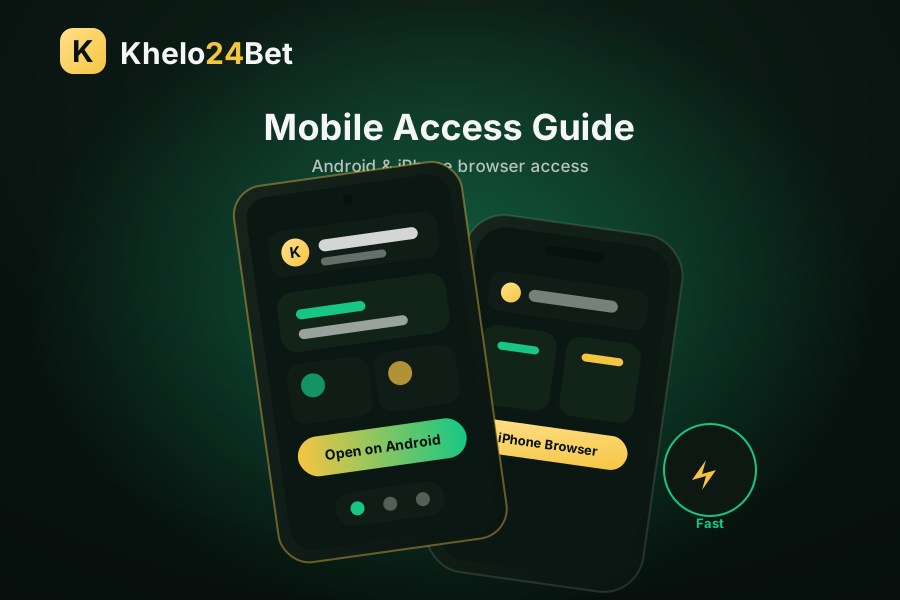
Registering on a phone is the most common path, and a few simple tips make it smoother. Use a current browser, a stable internet connection and a quiet moment so you can read each step carefully before confirming your details.
Most registration problems come from a handful of avoidable mistakes. Keep these in mind and your setup will be safer and quicker.
18+ only. Registration and all related guidance are for adults. Set personal limits, do not chase losses and follow your local laws before using any gaming-related service.
Registration is only the beginning of the story. Knowing what comes next means you can settle in confidently instead of wondering whether you missed something.
Before anything else, set your strong password, sign out and back in once to confirm it works, and enable any extra verification that is offered.
Practise a normal login so it is familiar. If anything is stubborn, the login help guide has a full troubleshooting table.
Look again at the time and money limits you set earlier, and treat them as fixed. This is the habit that keeps everything responsible.
The informational setup itself is short — usually a single WhatsApp conversation rather than a long form-filling exercise. Reading and following the safety steps carefully is what takes the most time, and that time is well spent. As for cost: reading these guides and using WhatsApp support is free. Any spending related to actual play comes later, is entirely your own choice, and should always stay inside the limits you decided in advance. Registering is not a commitment to spend anything.
If you think you registered before, you generally do not need a new account — a single, well-protected ID is simpler and safer than several. Instead of registering again, use the recovery steps in the Khelo24Bet ID guide or ask support to help you get back into your existing account.
Common spelling note: Some users search for khelo24ber register, a frequent typo where the letter “t” is replaced with “r”. If you searched that way, this guide still applies. The intended and correct brand spelling used on this website is Khelo24Bet.
Occasionally a setup does not go perfectly the first time, and that is nothing to worry about. The causes are almost always small and fixable. If your OTP is slow to arrive, the usual reason is a signal delay or a mistyped phone number — wait a minute, confirm your signal, and request a single resend rather than repeatedly tapping the button. If a page will not load during setup, switch to a more stable connection and try again before assuming anything is wrong.
The most important thing is to slow down rather than push through blindly. If any step is unclear, or a request seems to go beyond the basic details setup should involve, that is precisely the moment to pause and ask through the official WhatsApp link. Describe exactly what happened and what you were trying to do; a clear description gets you a clear answer quickly. Never try to “fix” a stalled registration by handing over your OTP or password to speed things along — that never helps and only creates risk.
Registration is an informational process where you request account setup help through WhatsApp support. You provide basic details, verify them, and then receive guidance to access your account. The steps are designed to be quick and mobile-friendly for 18+ users.
Typically you need a valid contact number and basic identifying details to set up access. Only share information through the official WhatsApp support link. Never share your OTP, password or banking PIN, as legitimate support will not ask for those.
Yes. The register process is built to work in mobile browsers on both Android and iPhone. Open the WhatsApp support link on your device, follow the informational steps and keep your login details private throughout the process.
Avoid entering details on lookalike websites, sharing your OTP, or using weak passwords. Do not rush through steps or skip safety checks. Confirm you are on the correct Khelo24Bet page, and reach out through WhatsApp support if anything seems unclear.
Khelo24ber register is a frequent typo of khelo24bet register, where "t" is replaced by "r". If you searched that way, this guide still applies. The correct brand spelling is Khelo24Bet, and the registration information here is the same.
The informational guidance and WhatsApp support on this website are free to read and use. Any costs related to actual play depend on the service itself and your own choices. Remember this content is for 18+ users and you should follow your local laws.
The informational setup itself is short — usually a single WhatsApp conversation rather than a long form. Reading and following the safety steps carefully takes the most time, and that time is well spent. Registering is not a commitment to spend anything; it simply sets up the access you can then use responsibly.
First confirm you are 18+ and that online gaming is legal where you live. Then set a comfortable time and money limit in advance. Practically, have a phone with signal so your OTP arrives, a stable connection, an updated browser, and a strong, unique password in mind that you have not used elsewhere.
You generally do not need a new one. A single, well-protected ID is simpler and safer than several. Instead of registering again, use the recovery steps in the ID guide or ask WhatsApp support to help you get back into your existing account, especially if you have forgotten your password.
Public or shared networks are less trustworthy for entering sensitive details, and shared devices may remember your information. Register on a connection and device you control. If you must use a shared device, prefer a private browser window and log out fully afterwards, and never let the browser save your password.
No. Registration only sets up account access; it guarantees nothing about outcomes, because no gaming outcome is ever guaranteed. Be cautious of anyone who frames signing up as a path to certain profit. Treat any gaming activity as entertainment within firm limits, never as a way to earn income.
18+ only. Follow your local laws and play responsibly.